 EN
 PT
 ES
 DE
 HI
 ZH
Details
| Row (Z) | Blocks | Place at X (from the centre) |
|---|
With the WorldEdit mod or plugin, stand where the centre should be and run:
Images and blueprints show the current layer. Coordinates and commands contain every layer. The share link opens this exact shape (size, style, block and layer).
More Minecraft tools: Stack Calculator · Nether Portal Calculator · End Portal Finder
Free Minecraft circle, sphere and dome generator
Plan perfect circles, ovals, spheres, domes and cylinders block by block — then build them by hand or with one command.
Every shape is exact: a 10-wide circle really is 10 blocks wide, even and odd sizes both work, and thick walls have no diagonal gaps. Works for Java and Bedrock. Jump to how to use it, thin vs thick or the FAQ.
How to make a
Minecraft circle.
Pick a shape and size, read the preview, build it row by row — or paste the commands.
-
manamil.dev/tools/minecraft-circle-generator
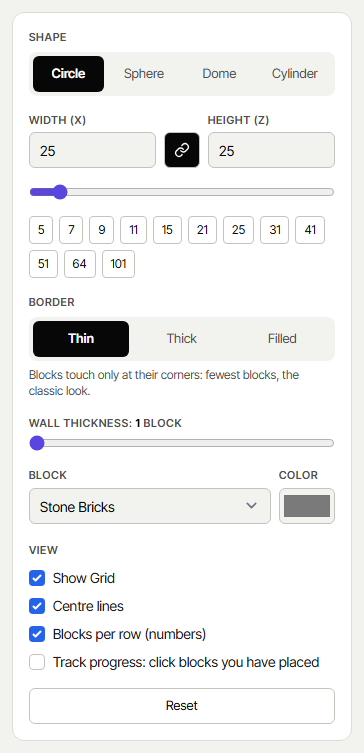 Step 01 / 05
Choose shape and size
Pick Circle, Sphere, Dome or Cylinder and type the width. Unlink the chain button to make an oval with a different length.
- →Quick sizes: 5, 7, 9, 11, 15, 21 … 101
- →Border: Thin, Thick or Filled, and a wall thickness of 1–10 blocks
- →Choose from about 60 real blocks, or any colour
-
manamil.dev/tools/minecraft-circle-generator
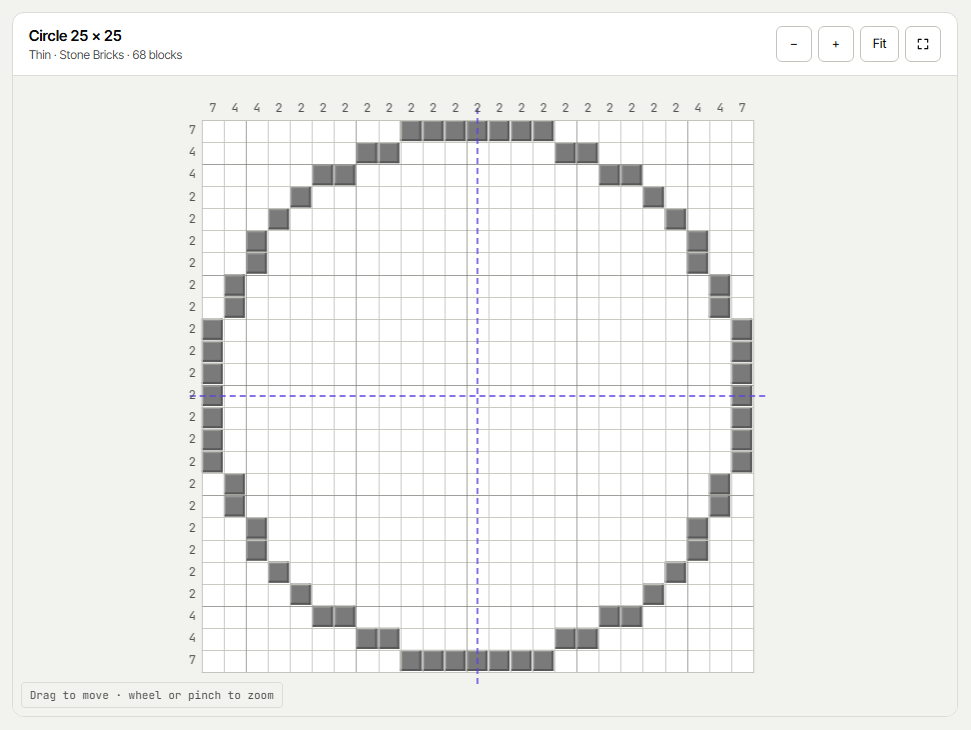 Step 02 / 05
Read the preview
The grid shows every block. Numbers on the sides tell you how many blocks each row and column has, and the dashed lines mark the centre.
- →Drag to move, scroll or pinch to zoom, full screen
- →Hover a block to see its X / Z position from the centre
- →“Track progress”: click blocks you have placed and see the percentage
-
manamil.dev/tools/minecraft-circle-generator
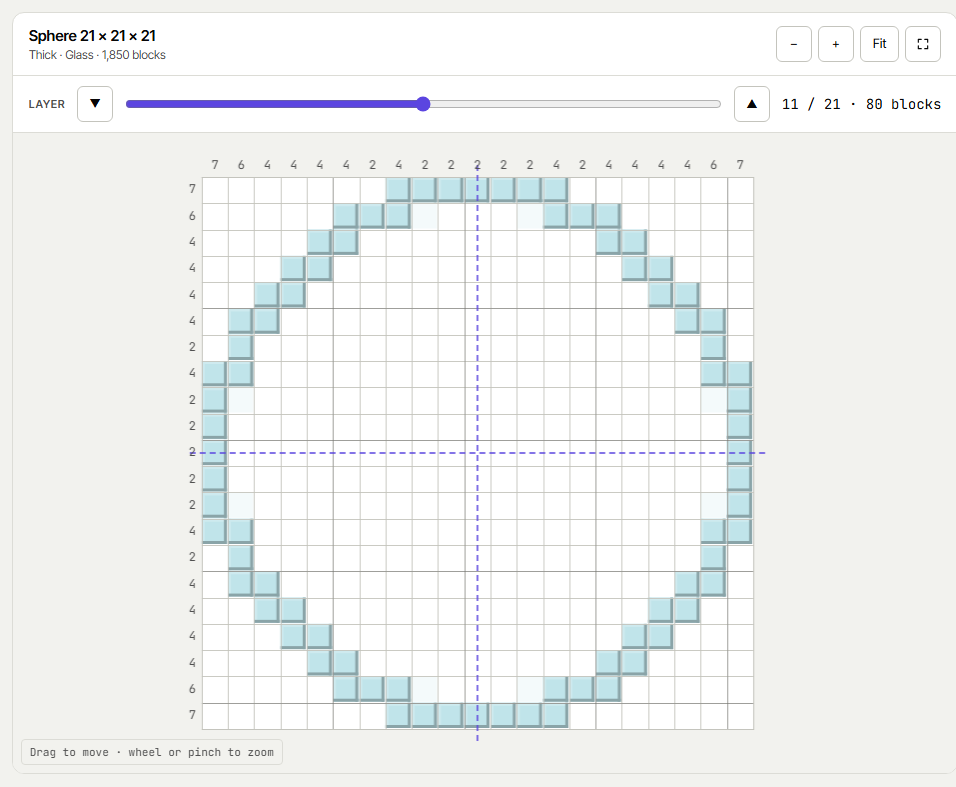 Step 03 / 05
Build spheres layer by layer
For spheres, domes and cylinders a layer slider walks you through the shape from bottom to top. The layer below is shown faintly so you always know where to stand.
- →Blocks per layer and in total
- →Domes have no floor; cylinders are open tubes
-
manamil.dev/tools/minecraft-circle-generator
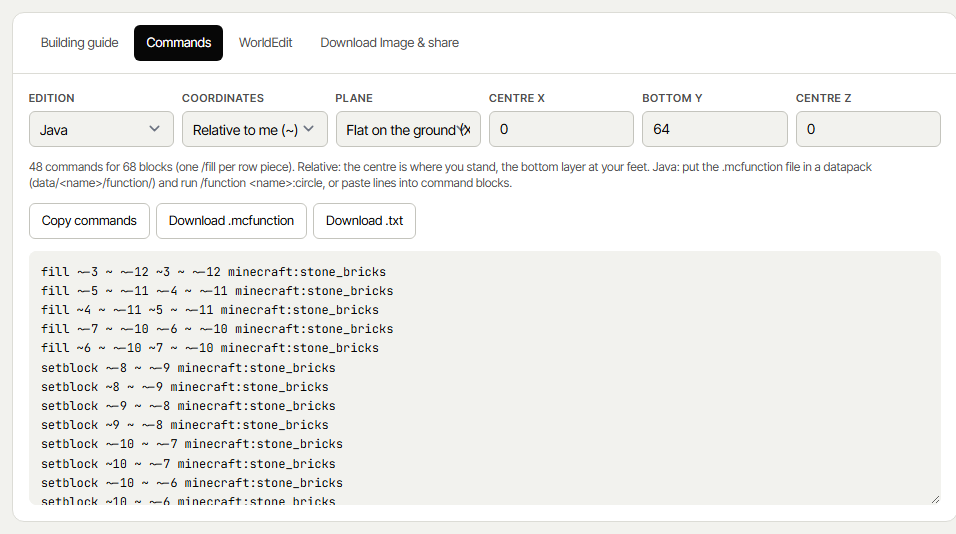 Step 04 / 05
Use the commands
The Commands tab writes one /fill per row piece. Choose Java or Bedrock, relative (~) or absolute coordinates, and flat or upright. The WorldEdit tab gives the matching //cyl or //sphere command.
- →Download a .mcfunction file for a datapack or behaviour pack
- →The Building guide tab lists every row with its X positions
-
manamil.dev/tools/minecraft-circle-generator
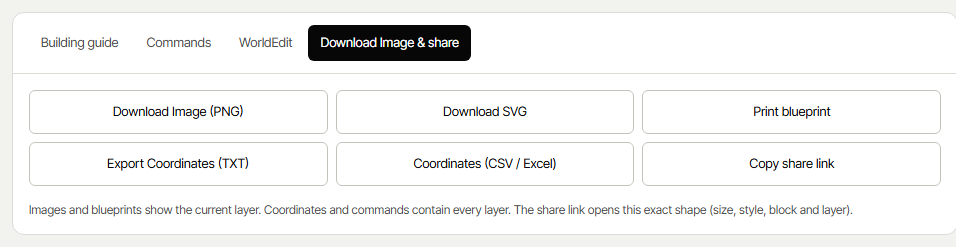 Step 05 / 05
Share and download
Save the plan in the form you need:
- →Download Image (PNG) and SVG of the current layer
- →Print blueprint — the grid, materials and the row list on paper
- →Export coordinates as TXT, or CSV for Excel
- →Copy share link — opens exactly this shape for a friend


Thin, thick
or filled?
The same circle can be built three ways. Pick by what the wall has to do.
Fewest blocks
Blocks touch only at their corners, giving the classic smooth look. Mobs and water can slip through the diagonal gaps.
Mob- and water-tight
Every block touches the next with a full side — no diagonal gaps. Use it for walls, towers, moats and farms.
Solid disc
Every block inside the shape: floors, platforms, round roofs and the solid parts of spheres.
How many blocks
a circle needs.
Exact counts for common circle outlines (thin, 1 block wide) — the tool gives the number for any size and style.
Thick walls use about 40% more blocks than thin ones; the Details panel converts any count into stacks of 64, shulker boxes and double chests. Need to plan storage for the materials? Use the Stack Calculator.
5 tips for building
big round shapes.
How builders get circles right the first time.
Questions
people ask.
Enter the width in the generator, choose Thin or Thick, and copy the shape from the preview row by row using the numbers on the sides and the Building guide. With cheats on, the Commands tab builds it for you.