Minecraft Color Codes
Every Minecraft color and formatting code with a live in-game preview — then copy it for chat, MOTD, signs, /tellraw, MiniMessage or Bedrock.
In-game preview
Gradient text
Smooth hex colours letter by letter (Java 1.16+, Spigot/Paper and most chat plugins).
Preview
Click any colour to preview and copy it.
All Minecraft color codes
Click a row to preview it, or any code to copy it. Switch to Bedrock Edition above for its extra material colours.
| Swatch | Colour | Chat | Section | MOTD | Foreground colour | Background (shadow) | JSON name | ||||||
|---|---|---|---|---|---|---|---|---|---|---|---|---|---|
| R | G | B | Hex | R | G | B | Hex | ||||||
No colour matches your search.
Formatting codes
Put them after the colour code — a colour code turns formatting off again in Java Edition.
| Format | Chat code | Section sign | JSON | MiniMessage | Works in |
|---|
More Minecraft tools: Username Generator (Minecraft names, 3–16 characters) · Circle Generator · Stack Calculator · Nether Portal Calculator · End Portal Finder
Minecraft color codes, preview and generator
Write coloured Minecraft text, see it exactly as it looks in game, and copy it in the format your server needs.
Every colour and formatting code for Java and Bedrock Edition in one place — with a live preview of chat, the server list, signs and item names, hex gradients for 1.16+, a colour picker that shows the foreground and background (shadow) RGB and hex of every colour, a searchable code chart you can download as CSV or JSON, and output for chat plugins, server.properties, /tellraw, /title, MiniMessage and Bedrock. Jump to how to use it, which format to use or the FAQ.
How to use
Minecraft color codes.
Type your text, add colours with one click, check the preview — then copy, share or print.
-
manamil.dev/tools/minecraft-color-codes
 Step 01 / 06
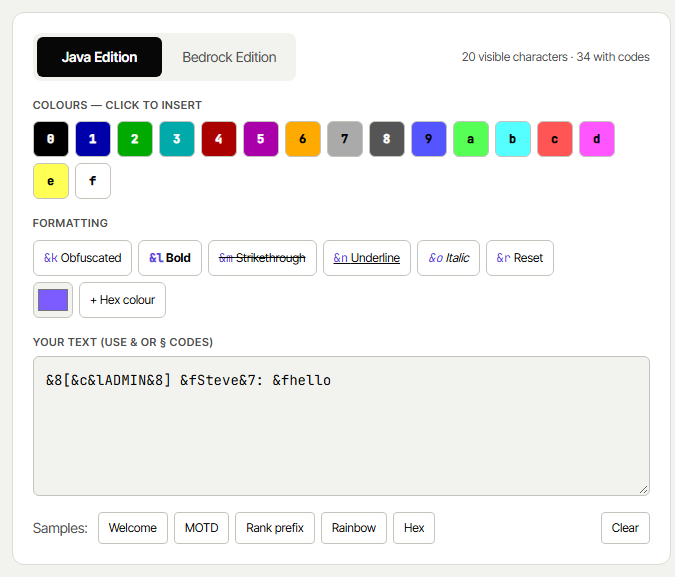
Write and colour your text
Type in the editor and click a colour or format to insert its code at the cursor —
&6for gold,&lfor bold. You can also type&or§codes yourself, or a hex colour like&#FF5E5E.- →Switch between Java and Bedrock Edition
- →Samples: welcome message, MOTD, rank prefix, rainbow, hex
-
manamil.dev/tools/minecraft-color-codes
 Step 02 / 06
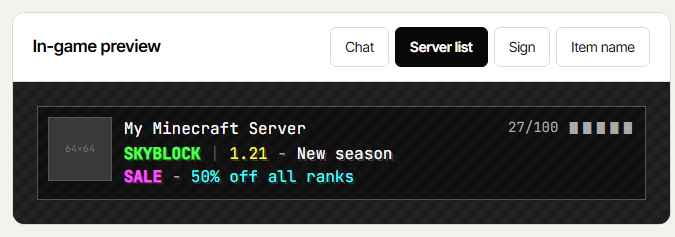
Check the in-game preview
See your text the way Minecraft draws it, with the right colours, shadow, bold, italic, underline and the animated obfuscated effect. Switch between Chat, Server list (MOTD), Sign and Item name.
- →Warns when a sign or MOTD line is too long
-
manamil.dev/tools/minecraft-color-codes
 Step 03 / 06
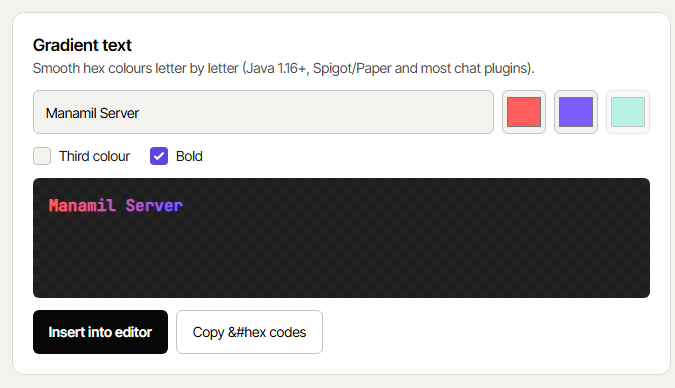
Make a gradient
Pick two or three colours and the tool gives every letter its own hex colour for a smooth gradient. Insert it into the editor or copy the
&#RRGGBBcodes directly.- →Works in Java 1.16+, Spigot, Paper and most chat plugins
-
manamil.dev/tools/minecraft-color-codes
 Step 04 / 06
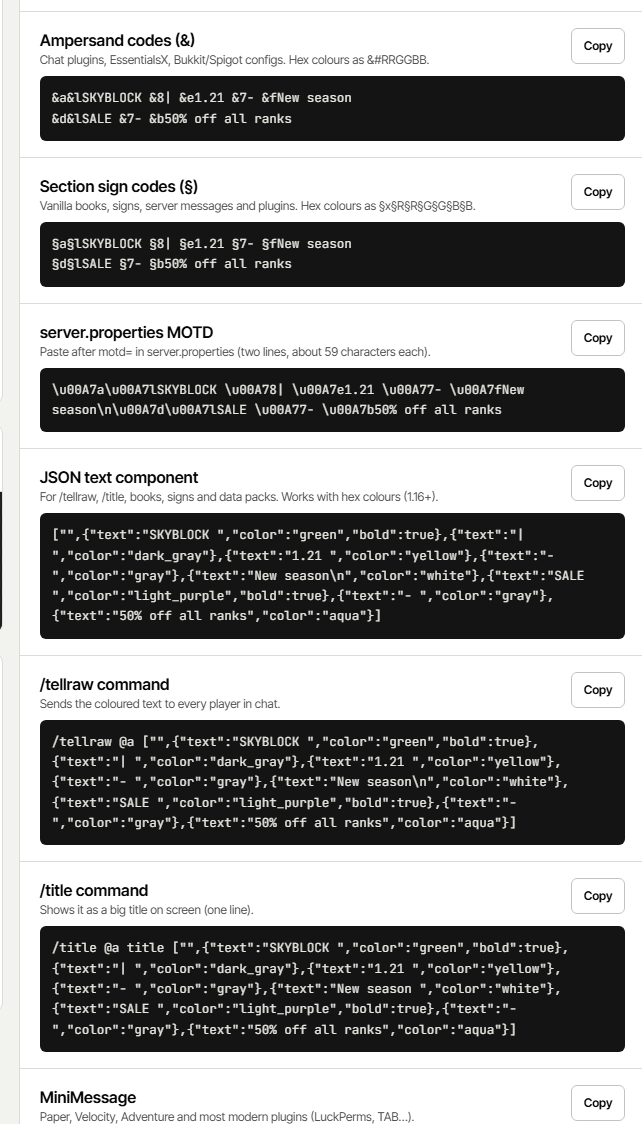
Copy the right format
Your text is ready in every format at once — pick the one your server or plugin uses and press Copy.
- →& codes, § codes and the
\u00A7MOTD for server.properties - →
/tellraw,/titleand JSON text - →MiniMessage for Paper and Velocity, and Bedrock
- →& codes, § codes and the
-
manamil.dev/tools/minecraft-color-codes
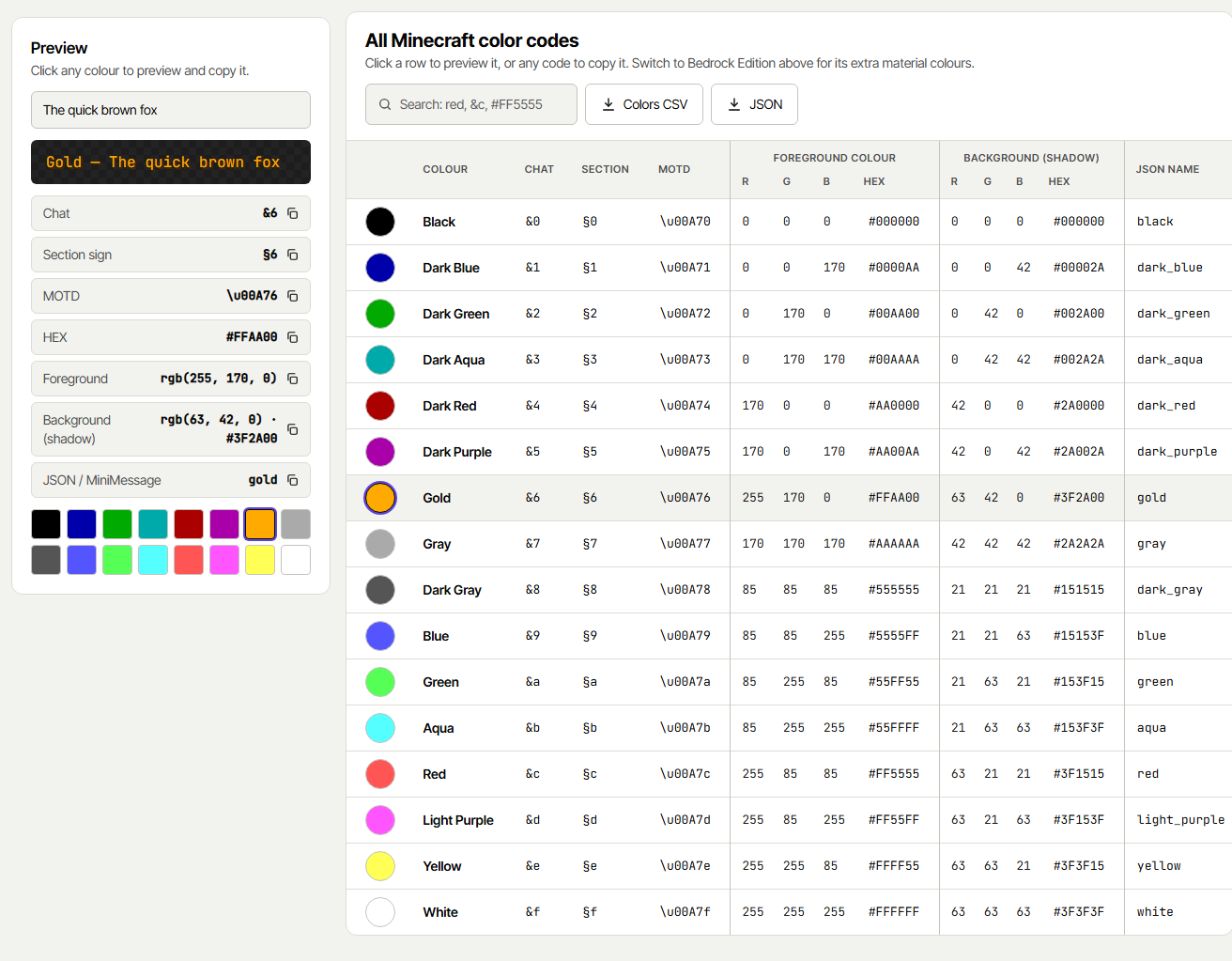 Step 05 / 06
Look up any colour
Click any colour in the Preview panel or any row of the chart to see a sample text in that colour, with its chat code, section sign, MOTD code, HEX, foreground RGB and background (shadow) RGB — each with its own copy button.
- →Search the chart by name, &c, §c, MOTD code or #hex
- →Foreground and background columns with R, G, B and hex for every colour
- →Colors CSV and JSON download the whole list (Java or Bedrock)
-
manamil.dev/tools/minecraft-color-codes
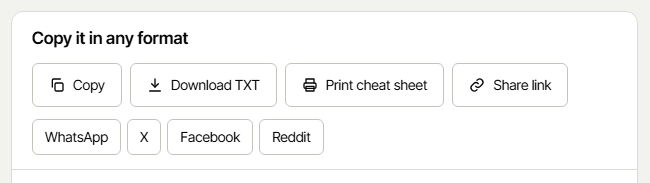 Step 06 / 06
Share, download or print
Keep your text and send it to your team:
- →Share link — opens this exact text on any device
- →Download TXT — every format in one file
- →Colors CSV / JSON — every colour with its codes and RGB
- →Print cheat sheet — the full code chart on paper
- →WhatsApp, X, Facebook, Reddit — share in one tap


All 16 Minecraft
color codes.
The same codes work with & (plugins) and § (vanilla). Each card shows the colour’s hex and the darker shadow Minecraft draws behind it; the chart above has R, G, B for both, ready to copy.
Black
JSON: black · shadow #000000
Dark Blue
JSON: dark_blue · shadow #00002A
Dark Green
JSON: dark_green · shadow #002A00
Dark Aqua
JSON: dark_aqua · shadow #002A2A
Dark Red
JSON: dark_red · shadow #2A0000
Dark Purple
JSON: dark_purple · shadow #2A002A
Gold
JSON: gold · shadow #3F2A00
Gray
JSON: gray — the default MOTD colour · shadow #2A2A2A
Dark Gray
JSON: dark_gray · shadow #151515
Blue
JSON: blue · shadow #15153F
Green
JSON: green · shadow #153F15
Aqua
JSON: aqua · shadow #153F3F
Red
JSON: red · shadow #3F1515
Light Purple
JSON: light_purple (pink) · shadow #3F153F
Yellow
JSON: yellow · shadow #3F3F15
White
JSON: white — the default chat colour · shadow #3F3F3F
Bedrock Edition adds &g Minecoin Gold and the material colours &h &i &j &m &n &p &q &s &t &u &v (quartz, iron, netherite, redstone, copper, gold, emerald, diamond, lapis, amethyst, resin). On Bedrock, &m and &n are colours, not strikethrough and underline.
Where each
format goes.
The same coloured text is written differently depending on where you paste it.
Ampersand codes
Chat and config files of plugins: EssentialsX, LuckPerms prefixes, DeluxeMenus, scoreboard and tab plugins. Hex as &#RRGGBB.
Section sign
Vanilla Minecraft: books, signs (with a mod or command), anvils on Bedrock and server messages. Type § with Alt+21 on Windows.
server.properties MOTD
The text under your server name in the server list. Use \n for the second line.
JSON text
For /tellraw, /title, signs, books, item names in commands and data packs. Supports any hex colour.
MiniMessage
Paper, Velocity and modern plugins built on Adventure (LuckPerms, TAB, ChatControl…). Supports <#hex> and gradients.
Bedrock commands
Bedrock’s /tellraw and /titleraw take {"rawtext":[{"text":"§6Hello"}]}.
Tips for colour
codes that work.
The small rules that decide whether your colours show up.
Questions
people ask.
Short codes like &6 or §6 that change the colour of text in Minecraft chat, server MOTDs, signs, books and item names. There are 16 colours (0–9 and a–f) and 6 formatting codes (k, l, m, n, o, r) in Java Edition.