Muhammad Manamil on January 19, 2026
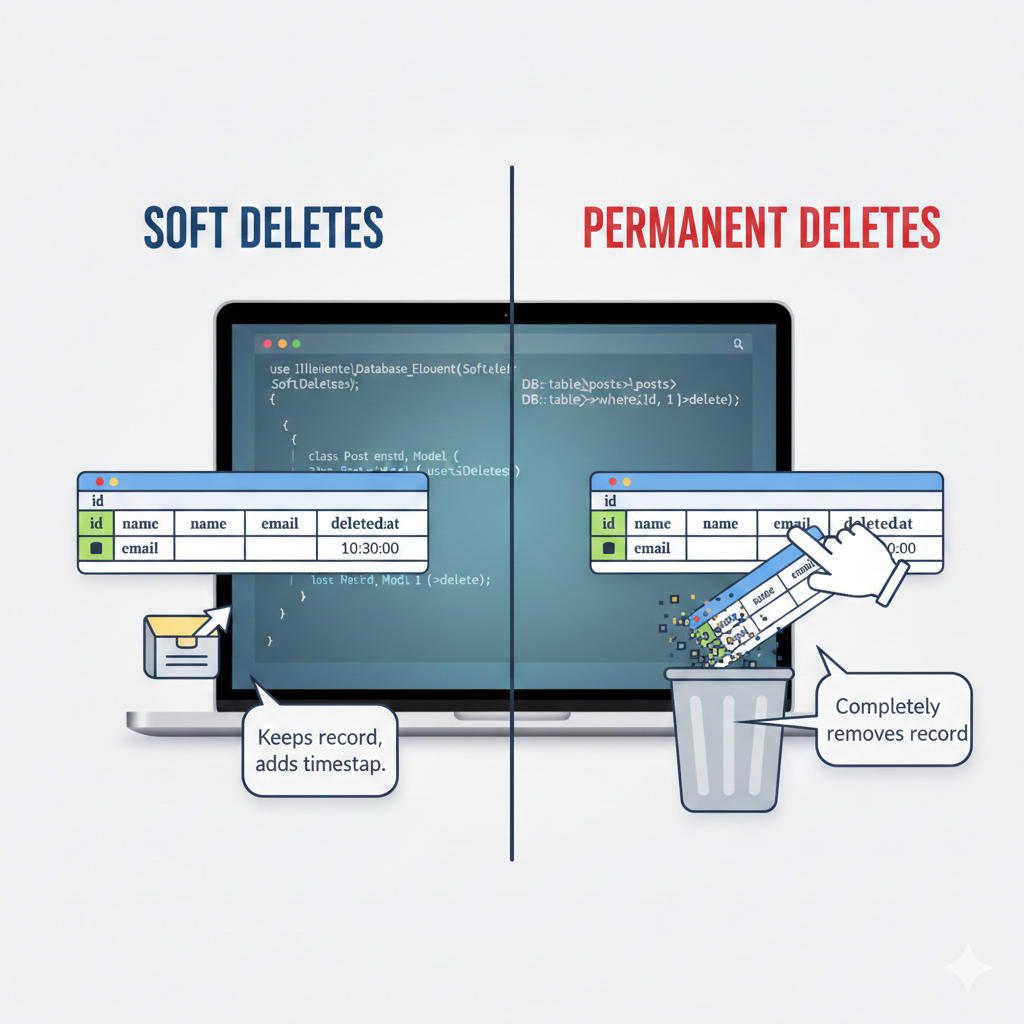



Laravel is a popular PHP framework that provides a clean and elegant syntax for web development. One of the most important aspects of managing database records in Laravel is deleting data. But did you know Laravel provides two types of deletion?
Soft Deletes – Temporarily delete a record without removing it from the database.
Permanent Deletes – Permanently remove a record from the database.
Understanding the difference is crucial for data management, auditing, and recovery in real-world applications.
Soft deletes allow you to mark a record as deleted without actually removing it from the database. This is useful when you want to keep a record for recovery or auditing purposes.
When you enable soft deletes in a model, Laravel adds a deleted_at timestamp column. If this column is null, the record is considered active; if it has a timestamp, it is considered deleted.
Migration
Add soft deletes to your table using the softDeletes() method:
use Illuminate\Database\Migrations\Migration;
use Illuminate\Database\Schema\Blueprint;
use Illuminate\Support\Facades\Schema;
class CreatePostsTable extends Migration
{
    public function up()
    {
        Schema::create('posts', function (Blueprint $table) {
            $table->id();
            $table->string('title');
            $table->text('content');
            $table->timestamps();
            $table->softDeletes(); // Adds deleted_at column
        });
    }
    public function down()
    {
        Schema::dropIfExists('posts');
    }
}
use Illuminate\Database\Eloquent\Model;
use Illuminate\Database\Eloquent\SoftDeletes;
class Post extends Model
{
    use SoftDeletes; // Enable soft deletes
}
// Soft delete a record
$post = Post::find(1);
$post->delete(); // Sets deleted_at timestamp
// Retrieve all posts including soft deleted
$allPosts = Post::withTrashed()->get();
// Retrieve only soft deleted posts
$deletedPosts = Post::onlyTrashed()->get();
// Restore soft deleted post
$post->restore();
Allows recovery of accidentally deleted records.
Keeps historical data for auditing.
Doesn’t permanently lose important information.
Permanent deletes, as the name suggests, remove records completely from the database. Once deleted, the data cannot be recovered (unless you have a backup).
// Permanent delete a record
$post = Post::find(1);
$post->forceDelete(); // Completely removes record from DB
Or, without soft deletes enabled:
$post = Post::find(1);
$post->delete(); // Deletes record permanently
Removing temporary test data.
Deleting records that are no longer needed for business or legal purposes.
Freeing up storage space in large databases.
| Feature | Soft Deletes | Permanent Deletes |
|---|---|---|
| Data Removal | Marks deleted_at timestamp; record remains in DB |
Completely removes record from DB |
| Recovery | Can restore deleted records | Cannot restore deleted records |
| Use Case | Auditing, accidental deletion recovery | Permanent cleanup or obsolete data removal |
| Querying | Use withTrashed() or onlyTrashed() to include soft deleted |
Only active records exist; deleted records gone |
Soft deletes are great for safety and auditing, while permanent deletes are better for cleaning up unnecessary data. Using the right deletion method helps maintain a clean, reliable database in Laravel applications.
Soft Deletes: Marks a record as deleted by setting a deleted_at timestamp but keeps it in the database. You can restore it later.
Permanent Deletes: Completely removes the record from the database. Recovery is not possible unless you have a backup.
Add the softDeletes() method in your migration to create the deleted_at column.
Use the SoftDeletes trait in your Eloquent model.
Use withTrashed() to retrieve all records including soft-deleted ones.
Use onlyTrashed() to retrieve only soft-deleted records.
$post = Post::withTrashed()->find(1);
$post->restore();
To prevent accidental data loss.
To maintain historical records for auditing.
When you may need to recover deleted data in the future.
If soft deletes are enabled:
$post->forceDelete(); // permanently deletes the record
$post->delete(); // permanently deletes the record
Removing temporary or test data.
Deleting records that are no longer needed for business or legal reasons.
Freeing up storage space in large databases.
No, by default soft-deleted records are excluded from queries.
To include them, use withTrashed().
No. The record still exists in the database; it only gets marked as deleted.
Yes. You can soft delete most records and permanently delete others using forceDelete() whenever needed.
Featured Posts
Categories
November 10 2025
Laravel 12 Social & Passkey Authentication (AuthKit) – Complete GuideAuthentication is one of the most important parts of any modern web app — and Laravel 12 makes it easier than ever with AuthKit, which supports social logins (like Google, GitHub, Facebook) and passkey authentication (passwordless login using Face ID, Touch ID, or security keys). In this guide, you’ll learn step-by-step how to set up Social Login + Passkey Authentication in Laravel 12 using AuthKit — from scratch.
November 26 2025
How to Fix DNS Server Not RespondingIf you're seeing the "DNS server not responding" error, it means your device is having trouble connecting to the internet. This issue can arise due to several reasons, including incorrect DNS settings or network issues. Learn how to fix this problem by checking your DNS settings, restarting your router, and troubleshooting network connections. Follow these simple steps to get your connection back on track.
November 03 2025
Laravel Installation on Ubuntu with Nginx – Complete Configuration GuideLaravel is the ultimate free and open-source PHP framework designed for building fast, secure, and reliable web applications. It has quickly become the industry standard thanks to its powerful, cohesive toolset that guarantees a streamlined development process for any modern PHP project.


Built by a developer, for developers — free tools and real-world guides to help you code smarter, faster, and without the guesswork.
© 2026 — manamil.dev. All Rights Reserved.