Muhammad Manamil on April 04, 2026
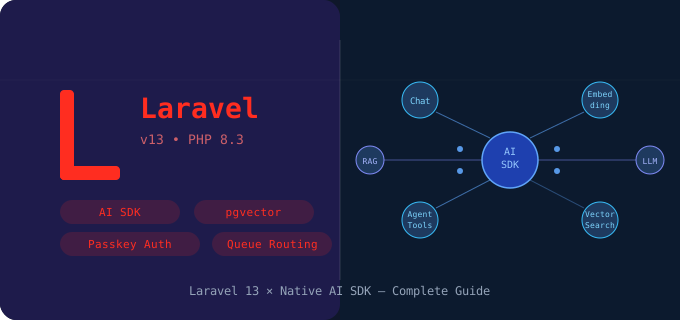



The Laravel ecosystem has always pushed the boundaries of what PHP developers can accomplish, but the Laravel 13 release March 17, 2026 marks a genuinely transformative moment. With the introduction of the native Laravel AI SDK, the framework no longer treats artificial intelligence as an afterthought or a third-party luxury — it bakes AI capabilities directly into the core development experience. Furthermore, this release stands on the shoulders of Laravel PHP 8.3, harnessing modern language features to deliver performance, expressiveness, and reliability at every layer.
Understanding how to use the Laravel AI SDK effectively is not simply about learning a new package. It is about rethinking how you architect applications, how you interact with data, and how you build intelligent workflows that respond dynamically to user needs. This guide walks you through everything — from the foundational Laravel 13 features to advanced Laravel AI agent tutorial patterns — so you can confidently adopt and master this powerful toolkit.
Before diving into the AI SDK itself, it is essential to understand what's new in Laravel 13 at a high level. The release introduces sweeping changes across routing, authentication, data handling, and developer ergonomics. Among the headline additions, Laravel passkey authentication stands out as a security-first feature that enables passwordless login using WebAuthn and FIDO2 standards. Developers can now implement biometric or hardware-key authentication with just a handful of lines — a feature that previously required complex third-party packages.
Equally noteworthy are the improvements to Laravel JSON API resources, which now offer richer, more expressive transformations aligned with the JSON:API specification. Additionally, Laravel queue routing receives a major upgrade, enabling developers to define intelligent routing rules that direct jobs to specific workers based on payload, priority, or even real-time system load. These foundational improvements collectively create the fertile ground on which the AI SDK flourishes.
When comparing Laravel 13 vs Laravel 12, the differences go well beyond a version number bump. Laravel 12 delivered solid improvements in Eloquent, Blade components, and HTTP client features. However, Laravel 13 represents a paradigm shift — it is the first version to treat AI as a first-class citizen in the framework's architecture. The introduction of Laravel 13 PHP attributes further modernizes the codebase, replacing verbose configuration arrays with clean, declarative attribute syntax that feels native to Laravel PHP 8.3.
Moreover, Laravel 13 vs Laravel 12 comparisons reveal a more opinionated approach to AI-driven development. Where Laravel 12 left AI integration entirely to community packages like Prism or OpenAI PHP, Laravel 13 provides a standardized, officially supported path. This means better documentation, tighter integration with Eloquent, first-class support in the Laravel 13 starter kit, and a long-term maintenance guarantee from the core team — a critical factor for enterprise teams evaluating production adoption.
| Feature | Laravel 12 | Laravel 13 |
|---|---|---|
| Native AI SDK | ❌ | ✅ |
| Passkey Auth | ❌ | ✅ |
| PHP 8.3 Attributes | Partial | Full |
| Vector Search | Third-party only | Native pgvector |
| JSON API Resources | Basic | Enhanced + Spec-compliant |
| Intelligent Queue Routing | Standard | Dynamic + Priority-based |
The Laravel 13 starter kit has been redesigned from the ground up to include AI-ready scaffolding out of the box. When you initialize a new project using laravel new my-app --ai, the installer provisions authentication, API structure, AI service bindings, and vector search configuration automatically. This dramatically reduces the time between idea and a working, intelligent prototype.
# Install Laravel 13 with AI starter kit
composer create-project laravel/laravel my-ai-app
cd my-ai-app

# Install the native AI SDK
composer require laravel/ai

# Publish AI configuration and scaffolding
php artisan ai:install

# Run database migrations including vector support
php artisan migrate
The Laravel 13 upgrade guide for existing applications is equally well-considered. The upgrade path from Laravel 12 provides automated codemods via the php artisan upgrade command, which detects deprecated patterns, suggests replacements using PHP attributes, and flags areas where AI integration can enhance existing features. Consequently, teams upgrading from Laravel 12 do not face a blank-page migration; instead, they follow a structured, tool-assisted path that minimizes risk and maximizes confidence during the transition.
The Laravel AI SDK operates through a clean, service-oriented architecture that abstracts away the differences between underlying model providers. At its core, the SDK exposes three primary interfaces: AiChat for conversational interactions, AiCompletion for single-turn text generation, and AiEmbedding for producing vector representations of text. Each interface binds to a configurable driver — whether that is OpenAI, Anthropic, Mistral, or a self-hosted model — making provider switching a configuration change rather than a code rewrite.
// config/ai.php — Configure your AI connections
return [
    'default' => env('AI_DRIVER', 'openai'),

    'connections' => [
        'openai' => [
            'driver'  => 'openai',
            'model'   => 'gpt-4o',
            'api_key' => env('OPENAI_API_KEY'),
        ],
        'anthropic' => [
            'driver'  => 'anthropic',
            'model'   => 'claude-sonnet-4-20250514',
            'api_key' => env('ANTHROPIC_API_KEY'),
        ],
    ],
];

// Using the AI facade — clean and expressive
$response = AI::chat()->send('Summarize this product description.', $text);
$embedding = AI::embedding()->embed('Search query text here');
Additionally, the SDK integrates tightly with Laravel's existing service container, facades, and configuration system. Developers define their AI connections in config/ai.php, pull them via dependency injection or the AI:: facade, and immediately gain access to structured, chainable API calls. This architecture means that every Laravel AI agent tutorial you build naturally inherits Laravel's middleware, error handling, logging, and testing utilities — a massive productivity advantage compared to integrating standalone AI clients manually.
This Laravel AI agent tutorial begins with defining an agent that can answer customer support queries. First, create an agent class using the new #[AiAgent] PHP attribute — a core part of Laravel 13 PHP attributes — and decorate methods with tool definitions the model can invoke during reasoning:
use Laravel\Ai\Attributes\AiAgent;
use Laravel\Ai\Attributes\SystemPrompt;
use Laravel\Ai\Attributes\Tool;
use Laravel\Ai\BaseAgent;

#[AiAgent(model: 'gpt-4o', temperature: 0.3)]
class SupportAgent extends BaseAgent
{
    #[SystemPrompt]
    public string $systemPrompt = 'You are a helpful support agent for Acme Corp.
        Always look up orders before responding to billing questions.';

    #[Tool(description: 'Look up an order by its ID')]
    public function lookupOrder(string $orderId): array
    {
        return Order::findOrFail($orderId)->toArray();
    }

    #[Tool(description: 'Issue a refund for a given order')]
    public function issueRefund(string $orderId, float $amount): string
    {
        RefundJob::dispatch($orderId, $amount);
        return "Refund of \${$amount} queued for order #{$orderId}.";
    }
}
Beyond the basic agent, you can equip it with a KnowledgeBaseTool that performs semantic retrieval using Laravel vector search, enabling the agent to cite real documentation in its answers. The SDK automatically serializes these tools into the model's function-calling schema, handles invocation callbacks, and manages multi-step reasoning loops — transforming a simple class definition into a fully autonomous support agent that can look up orders, issue refunds, and answer questions from your knowledge base without any additional orchestration code.
One of the most exciting Laravel 13 features is its native support for Laravel vector search, built on top of Laravel pgvector — the PostgreSQL extension for high-dimensional vector operations. Developers can now store, index, and query embedding vectors directly within Eloquent models using the HasVectorSearch trait and the vector column type in migrations:
// Migration — add vector column
Schema::create('documents', function (Blueprint $table) {
    $table->id();
    $table->string('title');
    $table->longText('content');
    $table->vector('embedding', 1536); // Dimension for text-embedding-3-small
    $table->timestamps();
});

// Model — attach vector search behavior
class Document extends Model
{
    use HasVectorSearch;
}

// Store a document with its embedding
$embedding = AI::embedding()->embed($content);
Document::create(['title' => $title, 'content' => $content, 'embedding' => $embedding]);

// Semantic search with Laravel pgvector — cosine distance
$queryEmbedding = AI::embedding()->embed($userQuery);
$results = Document::nearestNeighbors('embedding', $queryEmbedding, 'cosine')
    ->where('published', true)
    ->limit(5)
    ->get();
Laravel pgvector enables semantic similarity searches that go far beyond keyword matching. When a user asks a natural-language question, the application generates an embedding for that query and retrieves the most semantically similar documents using cosine distance. This capability forms the backbone of Retrieval-Augmented Generation (RAG) systems, allowing your AI agents to ground their responses in real, domain-specific knowledge. Because Laravel pgvector integrates with Eloquent's query builder, developers can combine vector similarity scores with traditional SQL filters, pagination, and eager loading — all within familiar Laravel idioms.
AI workloads are inherently asynchronous and resource-intensive, which is precisely why the improvements to Laravel queue routing in version 13 are so consequential. The new QueueRouter class allows developers to define routing rules as expressive closures or PHP attribute-decorated methods that inspect job payloads and dispatch them to optimally configured workers. For example, embedding generation jobs can route to GPU-optimized workers, while lightweight classification jobs route to standard CPU workers.
use Laravel\Queue\Attributes\QueueRoute;

#[QueueRoute(
    queue: fn(GenerateEmbeddingJob $job) =>
        $job->document->word_count > 10000 ? 'gpu-workers' : 'standard-workers',
    priority: fn(GenerateEmbeddingJob $job) =>
        $job->document->is_urgent ? 'critical' : 'normal',
    retryUntil: now()->addHours(2)
)]
class GenerateEmbeddingJob implements ShouldQueue
{
    use Dispatchable, InteractsWithQueue;

    public function handle(AI $ai): void
    {
        $this->document->update([
            'embedding' => $ai->embedding()->embed($this->document->content),
        ]);
    }
}
Moreover, Laravel queue routing now supports priority-based rerouting at runtime. If an AI job exceeds a configurable processing threshold, the system can automatically re-queue it on a higher-capacity worker pool, notifying administrators through Laravel's event system. This elastic behavior ensures that your intelligent features remain responsive even during traffic spikes, without requiring manual infrastructure intervention. Combined with Laravel Horizon's real-time monitoring dashboard, you gain complete visibility into how your AI workloads flow through the system.
Security deserves equal attention alongside capability, and Laravel passkey authentication delivers a modern, phishing-resistant authentication layer ideally suited to AI-powered applications. Since AI features often handle sensitive user data — personal queries, financial analysis, health information — the framework's passkey support ensures that access control meets the same standard of excellence as the features it protects.
// 1. Add the HasPasskeys trait to your User model
use Laravel\Passkeys\HasPasskeys;

class User extends Authenticatable
{
    use HasPasskeys;
}

// 2. Register all WebAuthn routes in one line
Route::passkeys();

// 3. Protect your AI endpoints behind passkey-verified middleware
Route::middleware(['auth:passkey'])->group(function () {
    Route::post('/ai/chat', [AiChatController::class, 'send']);
    Route::get('/ai/history', [AiChatController::class, 'history']);
});
Implementing Laravel passkey authentication requires minimal ceremony. The HasPasskeys trait, combined with the new PasskeyController scaffold in the Laravel 13 starter kit, handles the complete WebAuthn registration and assertion flow. Laravel manages the cryptographic challenge-response cycle, user verification storage, and session binding automatically. As a result, you can deliver enterprise-grade, passwordless security to your users without building cryptographic infrastructure from scratch — a major win for any team shipping AI features to production.
When AI agents produce responses, presenting that output cleanly to frontend clients is just as important as generating it correctly. Laravel JSON API resources in version 13 provide a fluent, specification-compliant way to serialize AI responses, agent states, and vector search results into structured API payloads. The enhanced JsonApiResource class supports relationship inclusion, sparse fieldsets, and metadata blocks aligned with the JSON:API specification — making your AI-powered API consumable by any standards-compliant client.
class ConversationResource extends JsonApiResource
{
    public function toArray(Request $request): array
    {
        return [
            'type'          => 'conversation',
            'id'            => (string) $this->id,
            'attributes'    => [
                'messages'      => MessageResource::collection($this->messages),
                'citations'     => CitationResource::collection($this->citations),
                'confidence'    => $this->agent_confidence_score,
                'model_used'    => $this->model_used,
            ],
            'relationships' => [
                'user' => UserResource::make($this->user),
            ],
            'meta' => [
                'tokens_used'       => $this->total_tokens,
                'tools_invoked'     => $this->tools_invoked_count,
                'response_time_ms'  => $this->response_time_ms,
                'vector_results'    => $this->citations->count(),
            ],
        ];
    }
}
Developers building Laravel AI agent tutorial workflows can wrap agent responses in a ConversationResource that serializes the message history, tool invocations, vector search citations, and confidence scores into a single, well-structured JSON document. This structured output makes it trivial to build rich frontend experiences — streaming chat interfaces, citation cards, confidence indicators — because the data contract is consistent, predictable, and self-documenting. Consequently, the combination of the AI SDK and enhanced Laravel JSON API resources eliminates the messy, ad-hoc response shaping that typically plagues AI integration projects.
Featured Posts
Categories
January 19 2026
Soft Deletes vs Permanent Deletes in Laravel | Complete Guide with ExamplesIn Laravel, deleting data can be done in two ways: soft deletes and permanent deletes. Soft deletes mark a record as deleted without removing it, allowing recovery and auditing, while permanent deletes completely remove data from the database. Understanding the difference is essential for proper data management and maintaining clean, reliable applications.
November 10 2025
Laravel 12 Social & Passkey Authentication (AuthKit) – Complete GuideAuthentication is one of the most important parts of any modern web app — and Laravel 12 makes it easier than ever with AuthKit, which supports social logins (like Google, GitHub, Facebook) and passkey authentication (passwordless login using Face ID, Touch ID, or security keys). In this guide, you’ll learn step-by-step how to set up Social Login + Passkey Authentication in Laravel 12 using AuthKit — from scratch.
December 01 2025
DNS Checker Tool - Verify Your DNS Records and IP AddressIf you're managing a website, ensuring that your DNS records are correctly configured is crucial for maintaining its performance and availability. With our DNS Checker Tool, you can easily verify your DNS records and check your IP address to troubleshoot any issues that may arise.


Built by a developer, for developers — free tools and real-world guides to help you code smarter, faster, and without the guesswork.
© 2026 — manamil.dev. All Rights Reserved.