Subdomain Finder
Find all subdomains of a domain — with live status, IP address, hosting country, first seen date and takeover risk. One full report you can print, share or download.
Free online subdomain finder
See every subdomain a domain has ever used — which ones are live, where they are hosted and which ones could be taken over.
The finder searches certificate transparency logs and passive DNS datasets at the same time, merges the results, then resolves each name through public DNS for its live status, IP, CNAME and hosting. It is a passive scan: the target’s own servers are never contacted. Jump to how to use it, what each status means or the FAQ.
How to find
all subdomains of a domain.
Type a domain, read the summary, filter the list — then print, download or share the report.
-
manamil.dev/tools/subdomain-finder
 Step 01 / 05
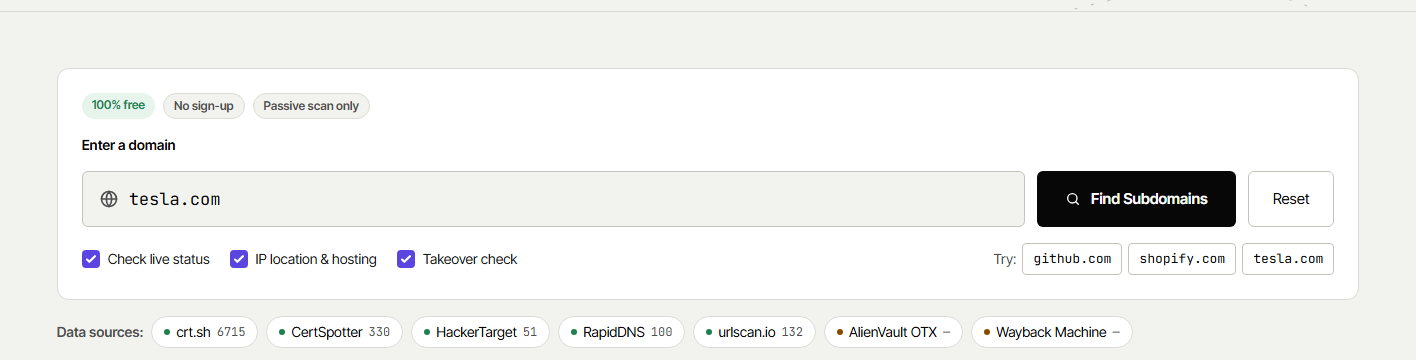
Enter the domain
Type the root domain, for example
example.com, and press Find Subdomains. A full URL works too — only the domain is used, andwww.is removed.- →Check live status resolves every name through public DNS
- →IP location & hosting adds the country, city and provider
- →Takeover check looks for dangling CNAMEs
- →The source chips turn green as each source answers
-
manamil.dev/tools/subdomain-finder
 Step 02 / 05
Read the summary
Cards give the totals at a glance: how many subdomains were found, how many are live or not resolving, how many look like a takeover risk, how many countries host them and the oldest and newest name.
- →Takeover risks and broken CNAMEs get their own warning box
- →A wildcard DNS record is detected and explained
-
manamil.dev/tools/subdomain-finder
 Step 03 / 05
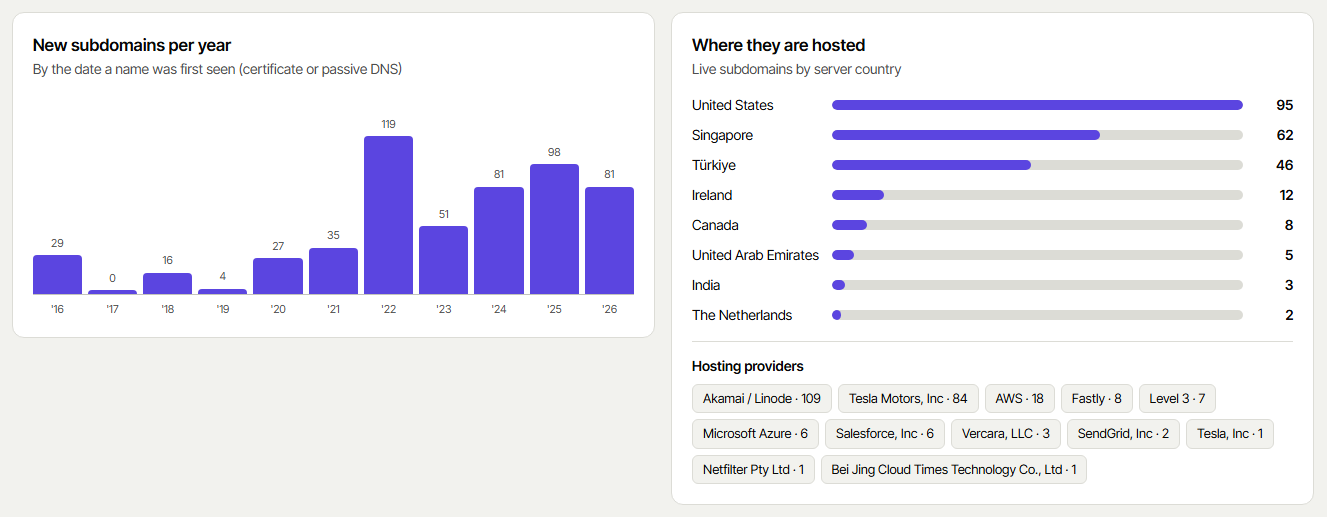
See when and where
The yearly chart shows when new subdomains appeared (from the first certificate or DNS record). Next to it: the countries and hosting providers of the live ones — Cloudflare, AWS, Google Cloud, Hetzner and more.
- →First seen = the earliest public record of the name
- →“What each source found” lists every source with its count
-
manamil.dev/tools/subdomain-finder
 Step 04 / 05
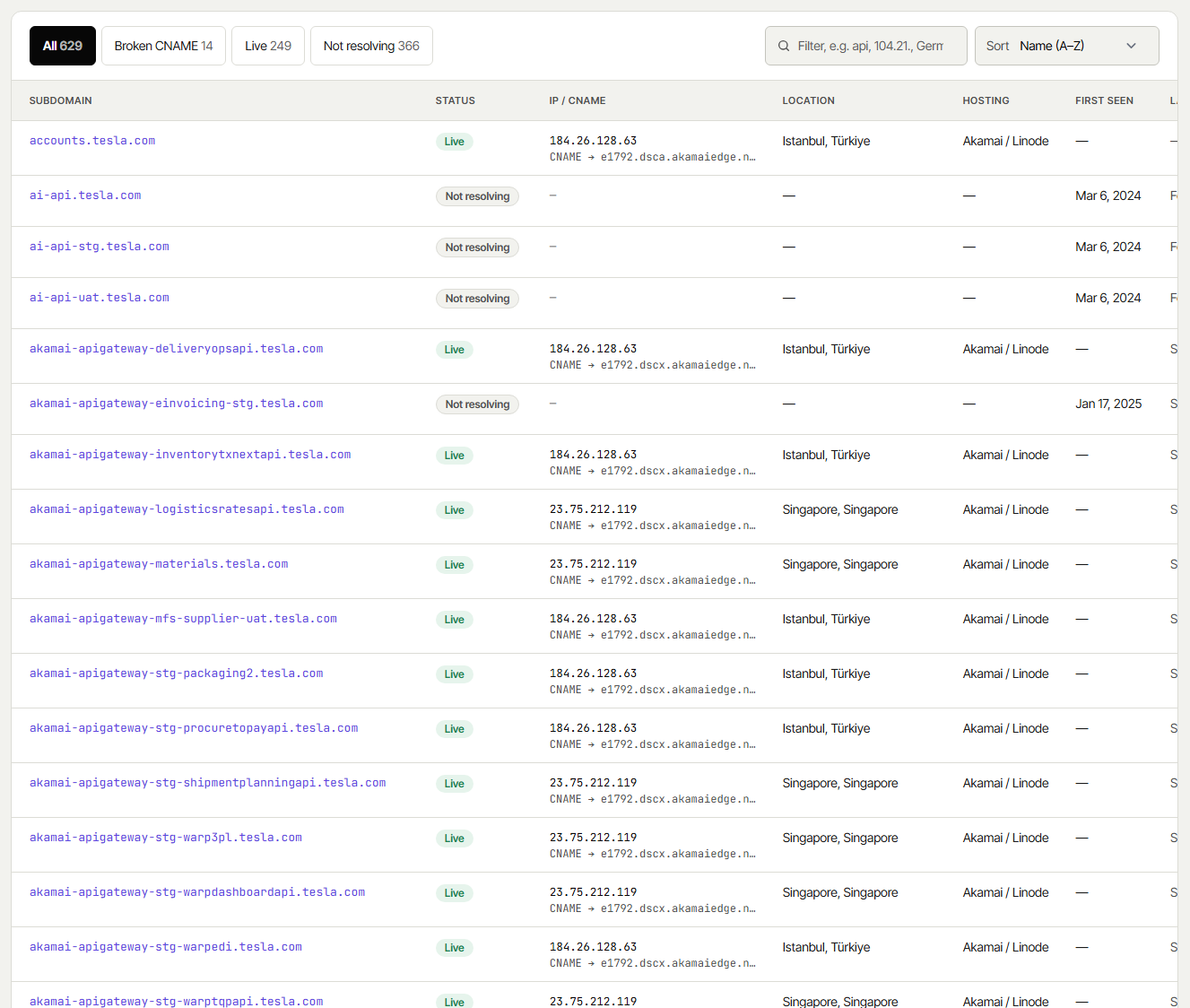
Filter the full list
Every subdomain with its status, IP address or CNAME, location, hosting, first and last seen dates, SSL issuer and the sources that know it. Switch tabs (Live, Not resolving, Takeover risk…), type in the filter, or sort by date, status or country.
- →Each name opens the site in a new tab
- →DNS and SSL buttons check that subdomain in our other tools
- →50 rows per page with page numbers
-
manamil.dev/tools/subdomain-finder
 Step 05 / 05
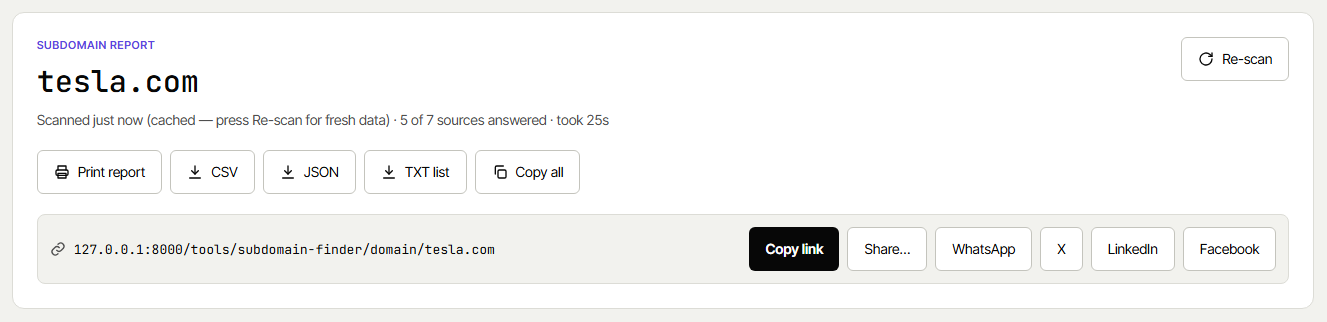
Print, download or share
Every scan has its own address, and the buttons at the top of the report take it further:
- →Print report — a clean A4 report (save it as PDF from the print window if you need a file)
- →CSV, JSON and TXT list — download the list as it is filtered
- →Copy all — every subdomain, one per line
- →Share — copy /tools/subdomain-finder/domain/example.com or send it to WhatsApp, X, LinkedIn or Facebook
- →Re-scan — skips the 6-hour cache for fresh data


One report,
everything in one place.
No account, no limits on downloads — and only real data: a value a source does not have stays empty instead of being guessed.
Every known subdomain
Merged and de-duplicated from certificate transparency logs (crt.sh, CertSpotter) and passive DNS (HackerTarget, RapidDNS, AlienVault OTX, urlscan.io, Wayback Machine).
Live status & IP
Each name is resolved through Cloudflare and Google public DNS: live with its IP addresses, not resolving, or a CNAME that points nowhere.
Location & hosting
Country, city, hosting provider and ASN of every live subdomain, plus a chart of when new subdomains appeared.
Takeover risk
Dangling CNAMEs to Heroku, GitHub Pages, AWS S3, Azure, Shopify, Netlify and 50+ other services are flagged, with what to do about them.
What each status
in the report means.
Every subdomain gets one status after it is resolved through public DNS resolvers.
Resolves to an IP address
The name has an A record today (directly or through a CNAME). A web server may or may not be running on it — open it or run the SSL Server Test to check.
No longer in DNS
The name existed once (it had a certificate or a DNS record) but returns no address now. Old staging, test and campaign sites usually end up here.
Dangling CNAME to a claimable service
The CNAME points to a service such as Heroku, GitHub Pages or an S3 bucket that no longer exists. Someone else could create it and serve content on your subdomain. Remove the record or claim the resource again.
Points to a name that does not exist
The CNAME target is gone, but it is not a known claimable service (for example a deleted AWS load balancer). Not a takeover, but the record should be cleaned up.
The resolvers did not answer
The domain’s nameservers did not respond in time. Press Re-scan, or check the name with the DNS Checker.
Too many names to resolve
Very large domains have thousands of names. The 1,500 most recently seen are resolved; the rest are listed but not checked. Download the CSV for the full list.
Why people
look up subdomains.
The same list answers very different questions.
Security teams
Map the attack surface: forgotten admin panels, old staging servers and dangling DNS records are where attacks start.
Developers & DevOps
Audit which environments still exist, find records that point to deleted servers, and clean up DNS before a migration.
Bug bounty hunters
Start recon with a passive list from seven sources, then export it as TXT or CSV for your own tools.
SEO & marketers
See how a competitor structures its site — blog, shop, help centre, regional and campaign subdomains — and when each one launched.
Where the subdomains
come from.
All results come from public records. Here is what each part of the report is based on.
Questions
people ask.
Yes. It is completely free with no sign-up. You can print the report, download it as CSV, JSON or TXT and share the link as often as you like. A fair-use limit of a few scans per minute keeps it fast for everyone.