DNS Propagation Checker
Use our free DNS checker tool to instantly check DNS records of any domain by choosing the record type. It checks 39 record types on 29 DNS servers worldwide, compares them with your domain’s own nameservers, tells you why a record is not found, tests email (MX, SPF, DMARC, DKIM) and DNSSEC, and lets you share or export the full report.
 EN
 ES
 ZH
 RU
 HI
Checks against 29 public DNS resolvers around the world. Want to know who owns a domain and when it expires? Try our WHOIS Lookup. Check the HTTPS certificate with the SSL Server Test.
Free DNS checker and propagation test
See what DNS servers around the world answer for your domain — and whether your new records have propagated yet.
The checker asks public resolvers in the Americas, Europe, Asia, the Middle East, Africa and Oceania at the same time, compares every answer with your domain’s own nameservers, and shows the result as a percentage. Jump to how to use it, record types or the FAQ.
How to check
DNS propagation.
Enter a domain, pick a record type, watch the answers come in — then share or download them.
-
manamil.dev/tools/dns-checker-tool
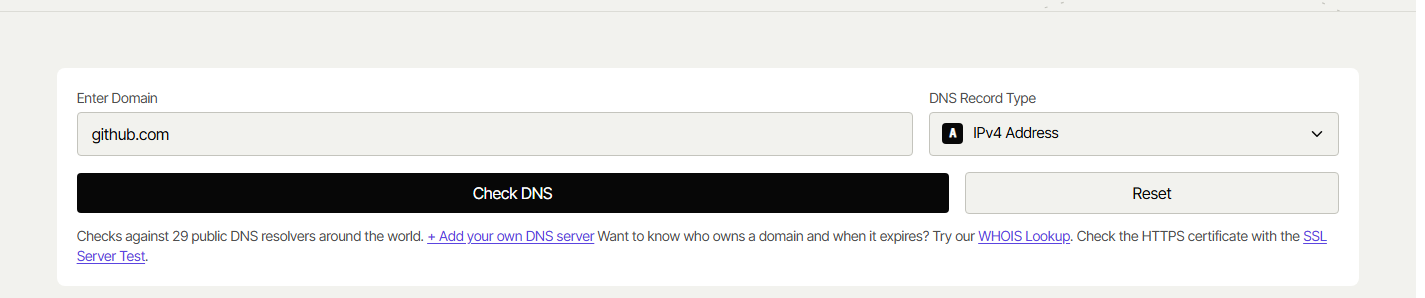 Step 01 / 05
Enter domain and record type
Type the domain, choose the record type (or All records) and press the check button. For a reverse lookup, enter an IP address with the PTR type.
- →Search the record list by name, like MX or TXT
- →Add your own DNS server to the list — it is saved in your browser
-
manamil.dev/tools/dns-checker-tool
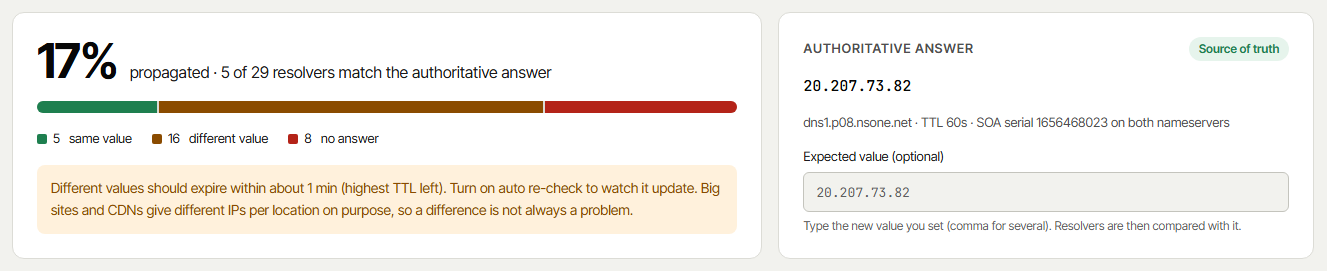 Step 02 / 05
Read the propagation
The bar shows how many resolvers already return the same value as your domain’s nameservers. Type the value you expect (for example your new server IP) to compare against it instead.
- →Green = same value, amber = different (old) value, red = no answer
- →The note says roughly how long old values can still be cached (from the TTL)
-
manamil.dev/tools/dns-checker-tool
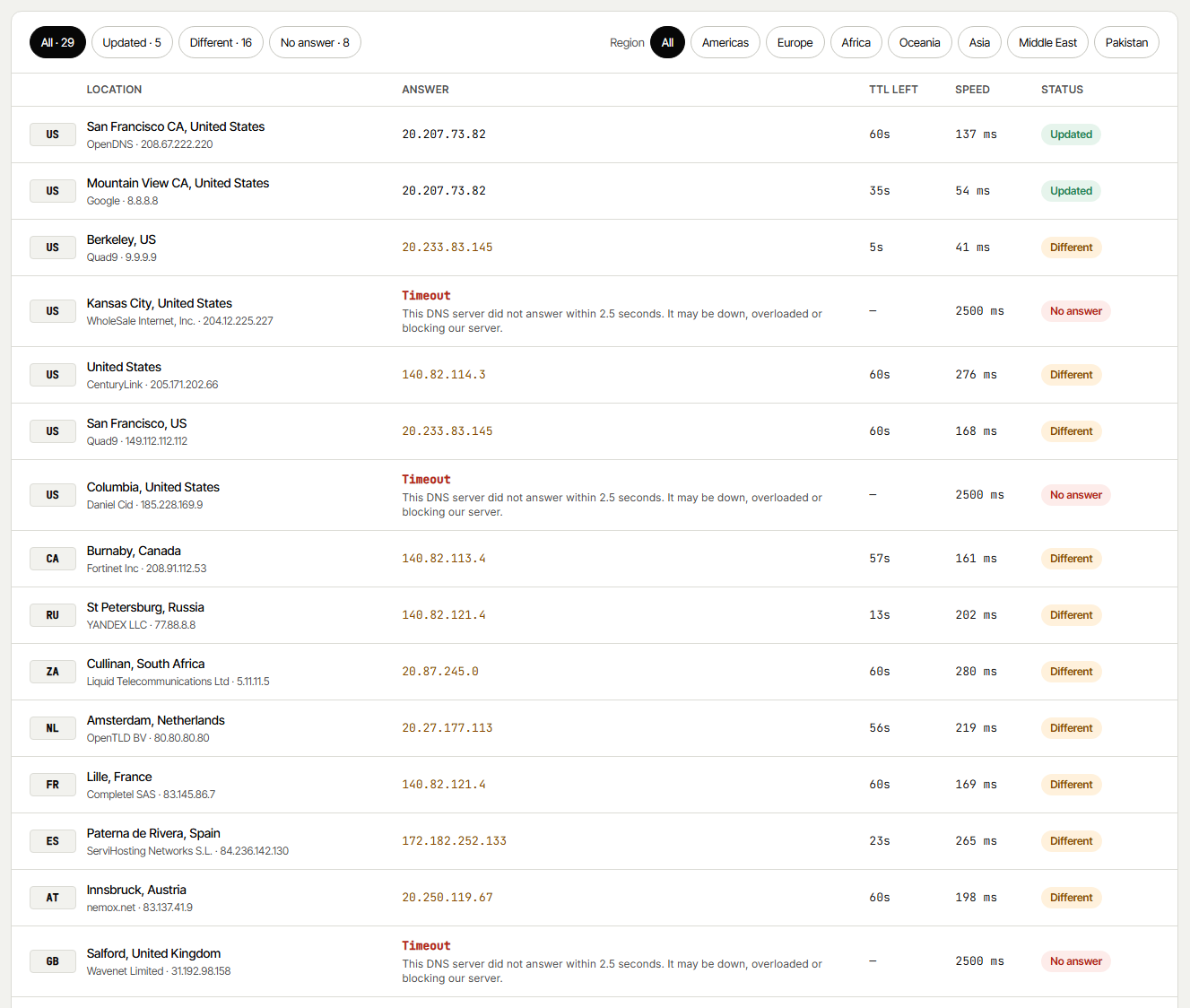 Step 03 / 05
Compare every location
Each row is one public resolver with its location, provider, answer, TTL and response time. Filter by region and turn on auto re-check to watch a change spread.
- →Regions: Asia, Europe, Americas, Middle East, Africa, Oceania, Pakistan
- →A “dig” command is shown so you can repeat the query yourself
-
manamil.dev/tools/dns-checker-tool
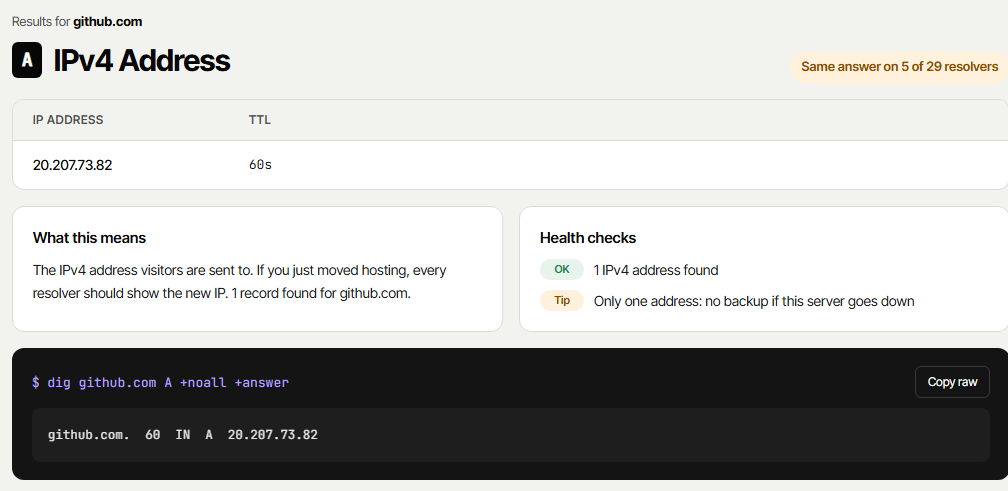 Step 04 / 05
See every record
With All records, tabs list each record type the domain has, read directly from its own nameservers — including SOA, DNSSEC and CAA details.
- →Copy any value with one click
- →Explanations for empty answers, CNAME aliases and NXDOMAIN
-
manamil.dev/tools/dns-checker-tool
 Step 05 / 05
Share and download
Every check has its own address you can send to a client or your hosting support. Next to it:
- →Share link — copies /tools/dns-checker-tool/domain/example.com/type/MX
- →Download CSV — all resolver answers for Excel or Google Sheets
- →WHOIS and SSL — the same domain in our other tools


DNS record types
you can check.
What each common record does and when you would check it.
Website address
The IPv4 (A) or IPv6 (AAAA) address a domain points to. Check it after moving to a new host.
Alias
Points one name to another, such as www to the bare domain or a subdomain to a CDN.
Mail servers
Where email for the domain is delivered, with priorities. Check it when setting up Google Workspace or Microsoft 365.
Text & verification
SPF, DKIM and DMARC for email, and verification codes for Google, Meta and other services.
Nameservers
Which servers are in charge of the domain’s DNS. They change when you move DNS to Cloudflare or a new host.
Allowed certificate authorities
Which CAs may issue SSL certificates for the domain. A wrong CAA record makes certificate renewals fail.
Zone details
The primary nameserver, admin contact and serial number — the serial goes up with every change.
Reverse DNS
The name for an IP address. Mail servers check it to decide whether to trust sending servers.
Why DNS changes
take time.
DNS does not “push” changes. Resolvers keep each answer until its TTL runs out, then ask again.
Questions
people ask.
Usually minutes to a few hours, depending on the TTL of the old record. Nameserver changes can take up to 48 hours because the registry’s own records are cached longer. The propagation bar in this tool shows how far it has got.