 EN
 DE
 FR
 HI
 RU
JSON Data/URL
Click a key to copy its JSONPath, click a value to copy the value.
Paste a second JSON. It is compared with the input by meaning: key order and formatting do not count.
Validation report
Nothing checked yet.
Document statistics
Shown after the JSON is read.
Shortcuts: Ctrl + Enter beautify · Ctrl + Shift + Enter minify · Esc leave full screen. Everything runs in your browser: your JSON is never sent to our server (only "Load from URL" asks our server to fetch that address). Need more web tools? DNS Checker · WHOIS Lookup · SSL Server Test.
Free online JSON beautifier, validator and converter
Paste messy JSON and get it formatted, validated and repaired — then explore it, query it, compare it or convert it to 27 formats.
Everything runs in your browser, so your data is not uploaded (only “Load from URL” asks our server to fetch that address). Big numbers and key order are kept exactly as you typed them. Jump to how to use it, conversions or the FAQ.
How to format
and validate JSON.
Paste, process, explore, convert — and share or download the result.
-
manamil.dev/tools/online-json-beautifier
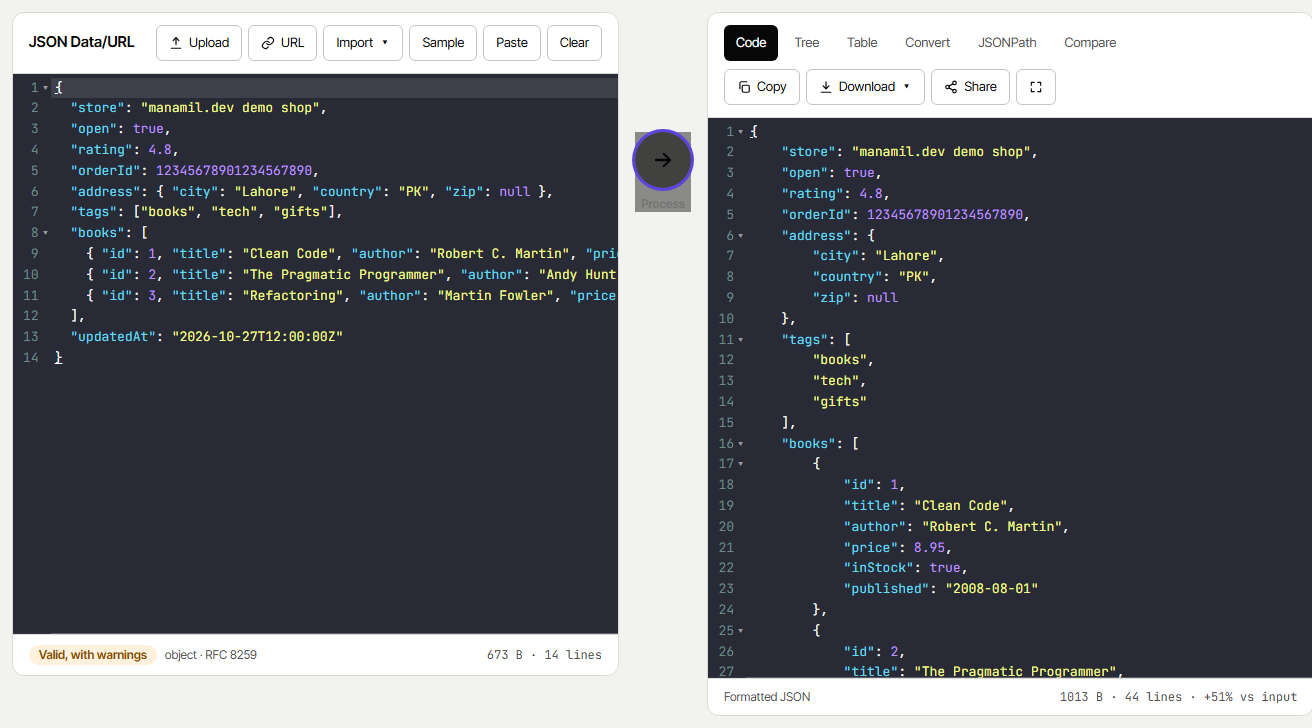 Step 01 / 05
Paste and process
Paste JSON into the left editor — or upload a file, load it from a URL, or drop it in — and press Process. Pasted JSON is formatted straight away.
- →Choose 2, 3 or 4 spaces, a tab, or compact (minified)
- →Sort keys, escape Unicode, short arrays on one line
- →Ctrl + Enter beautifies, Ctrl + Shift + Enter minifies
-
manamil.dev/tools/online-json-beautifier
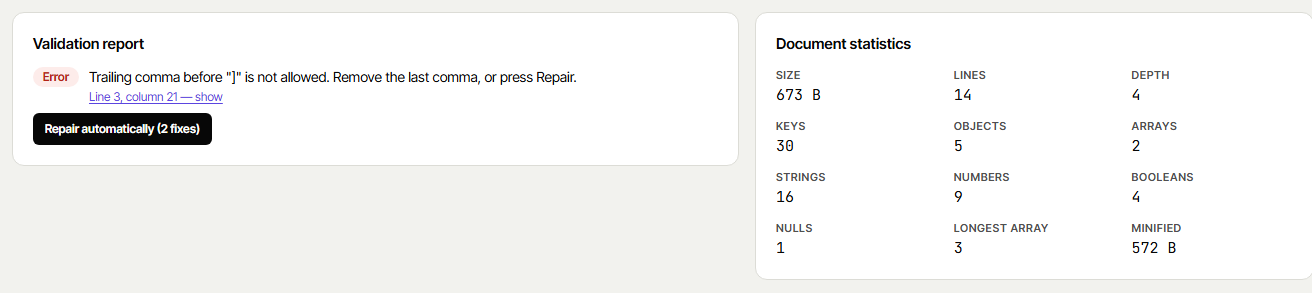 Step 02 / 05
Fix errors
Invalid JSON gets an exact line and column and a clear message, and the line is highlighted in the editor. Repair JSON fixes common mistakes in one click.
- →Fixes comments, trailing commas, single quotes, unquoted keys
- →Turns True/None/NaN into valid JSON and wraps JSON Lines in an array
- →Warns about duplicate keys and numbers too large for JavaScript
-
manamil.dev/tools/online-json-beautifier
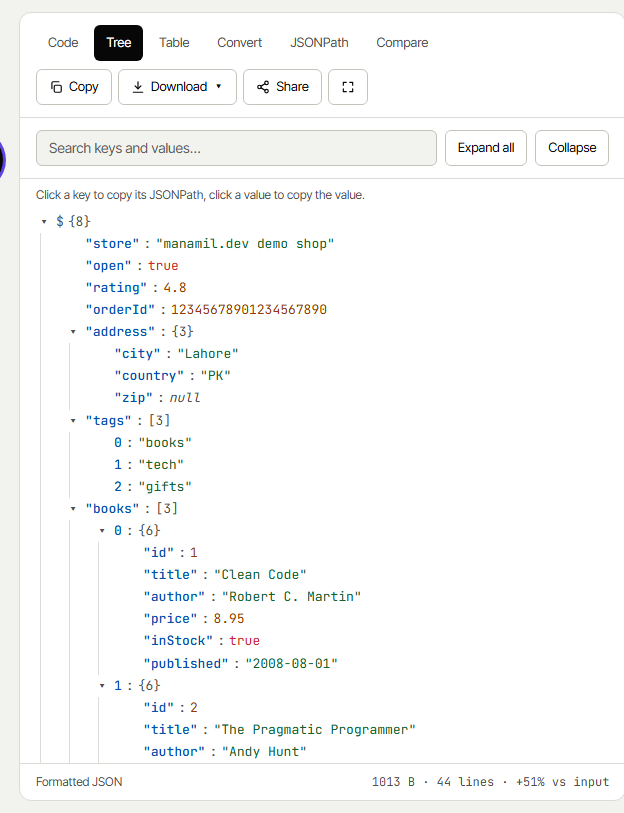 Step 03 / 05
Explore as a tree or table
The Tree tab folds and unfolds objects and arrays; click a key to copy its JSONPath, or search keys and values. Table shows arrays of objects as rows and columns.
- →JSONPath tab: queries like $.books[?(@.price < 10)].title
- →Compare tab: the differences between two JSON documents
-
manamil.dev/tools/online-json-beautifier
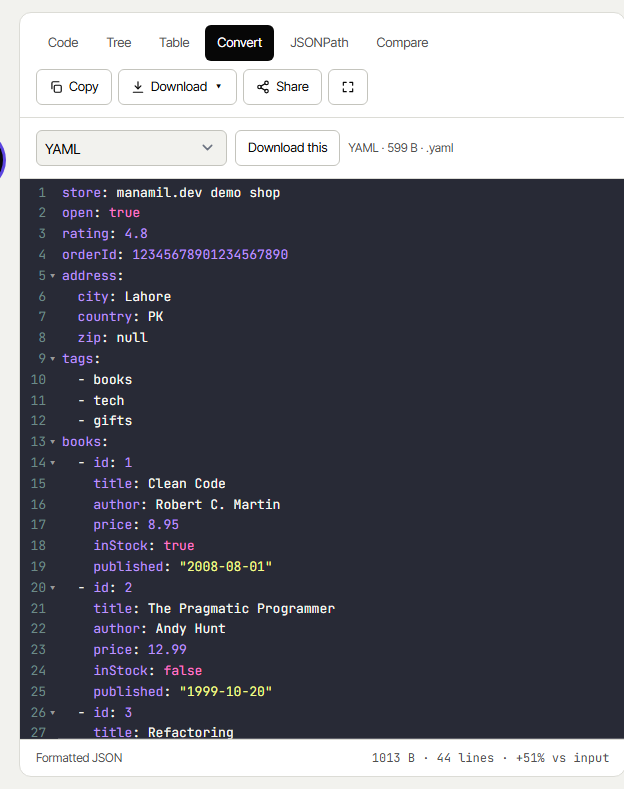 Step 04 / 05
Convert to other formats
The Convert tab turns JSON into YAML, XML, CSV, SQL, TypeScript interfaces, JSON Schema and code for 10 languages. The Import menu does the reverse for YAML, CSV, XML and more.
- →Arrays of objects become tables (CSV, Excel, HTML, Markdown, SQL)
- →Types are inferred from your data for TypeScript, Go, Java, C#…
-
manamil.dev/tools/online-json-beautifier
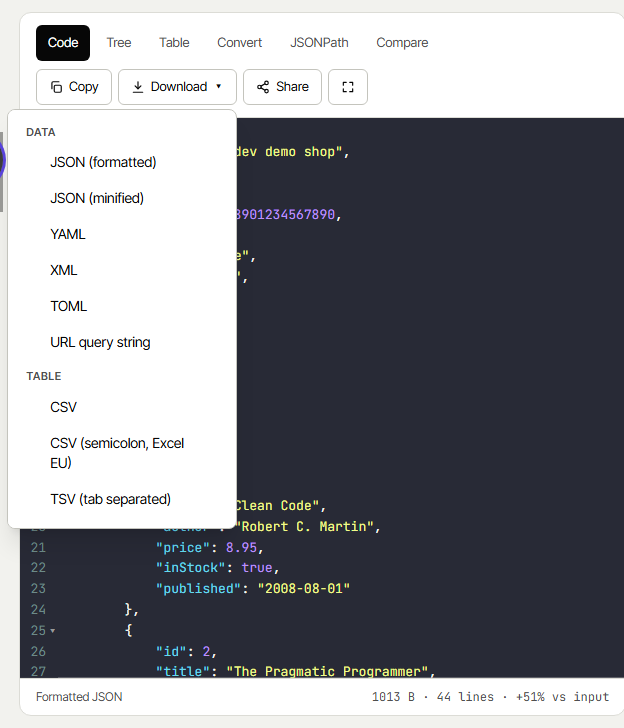 Step 05 / 05
Share and download
Take the result anywhere:
- →Download — any of the 27 formats as a file (.json, .min.json, .yaml, .csv, .ts…)
- →Copy — the active view to the clipboard
- →Share — a link with the JSON packed inside it; nothing is stored on our server
- →Full screen for big files, and your last draft is kept in this browser


Convert JSON to
27 formats.
Every conversion uses your data exactly — big numbers stay exact and key order is kept.
Config formats
Readable YAML for Docker and Kubernetes, XML for older systems, TOML for Rust and Python projects.
Spreadsheets
Arrays of objects become rows; nested values are flattened to columns like address.city. A semicolon CSV opens correctly in European Excel.
Tables
CREATE TABLE and INSERT statements with detected column types, a styled HTML table, or a Markdown table for README files.
Types
A draft 2020-12 schema with required fields and formats, or TypeScript interfaces with optional properties.
Classes & structs
Also Swift, Rust, Dart, Python dataclasses and PHP classes — with the right field names and JSON tags.
Code literals
Paste-ready objects, dicts, arrays and hashes, plus escaped JSON strings and Base64.
Choose how strict
the check is.
Pick the JSON specification in the options. Strict modes report every deviation; relaxed mode reads it anyway.
The 6 most common
JSON errors.
What usually breaks JSON — the validator names each one, and Repair fixes them.
Questions
people ask.
Formatting, validation, conversion and sharing all happen in your browser — the JSON is not sent to our server. The only exception is “Load from URL”, where our server fetches that public address for you. Share links carry the JSON inside the link itself.