
Muhammad Manamil on January 19, 2026
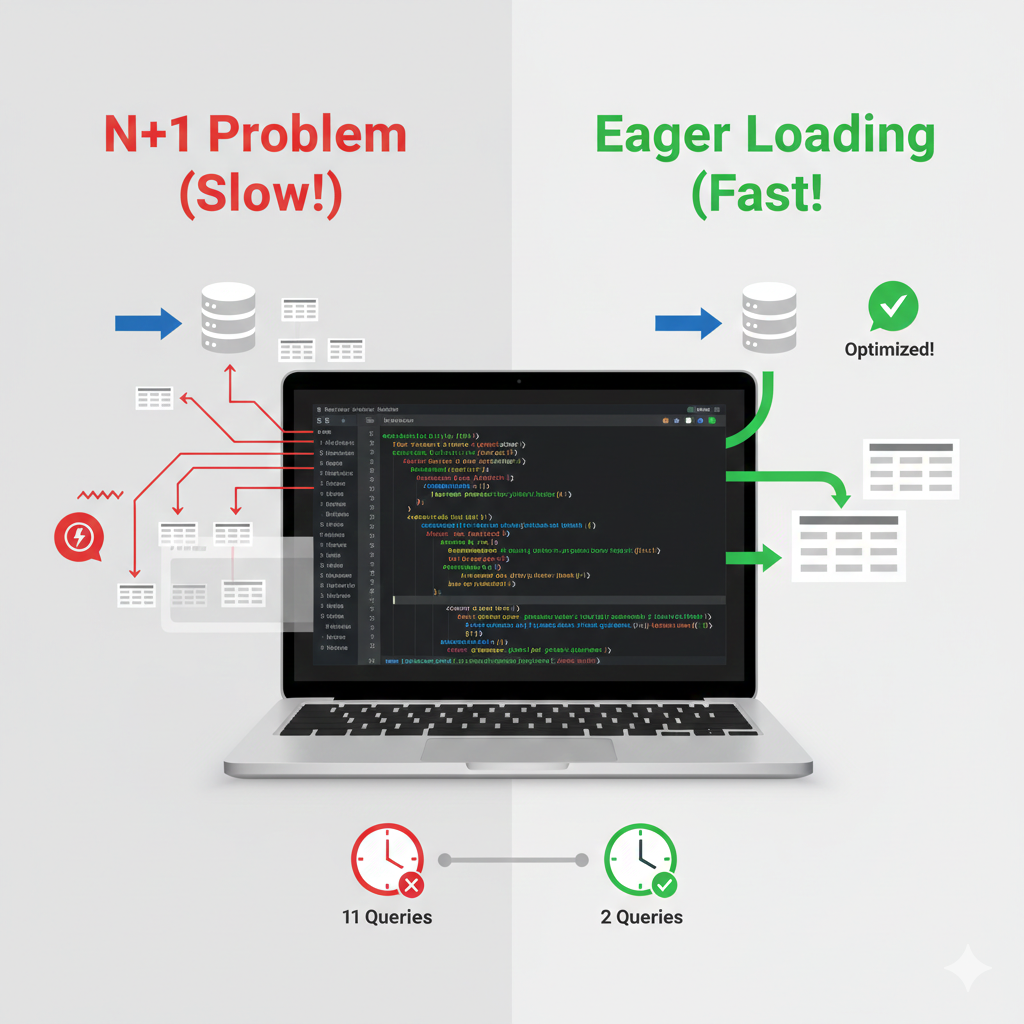



Have you ever built a Laravel application and noticed it felt a bit sluggish, especially when loading pages with lots of related information? You're not alone. Many developers, particularly beginners, unknowingly fall victim to a common pitfall called the "N+1 Query Problem."
But don't worry! In this post, we're going to demystify what the N+1 problem is, show you why it's a performance killer, and give you the simple, yet powerful, solution that will make your Laravel apps feel lightning fast.
Imagine you have a blog. Each Post has an Author. Now, let's say you want to display a list of all your blog posts and, next to each post title, show the name of its author.
Here's how you might think to do it:
First Query: Get all the posts: SELECT * FROM posts; (This is 1 query).
Subsequent Queries: For each post you retrieved, you then fetch its author: SELECT * FROM authors WHERE id = [post_author_id];
If you have 10 posts, this means: 1 (query for all posts) + 10 (queries for each author) = 11 database queries!
This is your "N+1" problem in action:
1 is the initial query to get the main data (all posts).
N is the number of additional queries fired for each related piece of data (each author).
As your N (number of posts) grows, so does the number of database queries, grinding your application to a halt. This is particularly bad in web applications where every millisecond counts for user experience.
"So what if it's 11 queries instead of 2?" you might ask. Here's why it matters:
Database is Slow: Database operations are one of the slowest parts of any web application. Every time your application talks to the database, there's network overhead, processing time, and resource consumption. More queries mean more waiting.
Server Resources: Your server has to work harder to make all those individual database connections and process the results.
User Experience (UX): A slow website is a frustrating website. Users expect pages to load instantly. The N+1 problem directly impacts how quickly your pages render.
Scalability: As your application grows and more users access it, the N+1 problem becomes a catastrophic bottleneck.
with()Laravel, being the awesome framework it is, provides a super elegant solution for the N+1 problem: Eager Loading.
Instead of fetching related data one by one, eager loading tells Laravel to fetch all the related data in just one extra query when the initial query is made.
Let's revisit our blog post example:
Before (N+1 Problem):
// In your controller or route
$posts = App\Models\Post::all();

foreach ($posts as $post) {
    echo $post->title . ' by ' . $post->author->name; // Each time author is accessed, a new query fires
}
This code results in 1 + N queries.
After (Eager Loaded Solution):
// In your controller or route
$posts = App\Models\Post::with('author')->get();

foreach ($posts as $post) {
    echo $post->title . ' by ' . $post->author->name; // Author data is already loaded!
}
The magic is in ->with('author'). What happens now is:
First Query: SELECT * FROM posts; (Still 1 query).
Second Query: SELECT * FROM authors WHERE id IN (1, 2, 3, ...); (A single query to get all authors whose IDs were found in the posts).
Now, if you have 10 posts, you're only making 2 database queries instead of 11! Imagine the difference with hundreds or thousands of posts.
Define Relationships: Ensure you have defined the relationships in your Eloquent models. For our example, in App\Models\Post.php:
namespace App\Models;

use Illuminate\Database\Eloquent\Factories\HasFactory;
use Illuminate\Database\Eloquent\Model;

class Post extends Model
{
    use HasFactory;

    public function author()
    {
        return $this->belongsTo(Author::class);
    }
}
And in App\Models\Author.php:
namespace App\Models;

use Illuminate\Database\Eloquent\Factories\HasFactory;
use Illuminate\Database\Eloquent\Model;

class Author extends Model
{
    use HasFactory;

    public function posts()
    {
        return $this->hasMany(Post::class);
    }
}
Use with() in your Query: Wherever you fetch your Post data, add ->with('author'):
$posts = App\Models\Post::with('author')->get();
You can eager load multiple relationships too: ->with(['author', 'comments', 'tags'])->get().
For truly robust applications, don't just guess! Laravel offers excellent tools to help you identify N+1 problems:
Laravel Debugbar: A fantastic package that overlays debug information on your pages, including all executed database queries. It will visually highlight N+1 issues.
Laravel Telescope: A more comprehensive debugging assistant that provides insights into your application's requests, exceptions, mail, notifications, and, crucially, database queries, making N+1 detection very easy.
The N+1 Query Problem is a fundamental concept in optimizing Laravel application performance. By understanding how it works and consistently applying eager loading with ->with(), you can dramatically reduce database queries, speed up your applications, and provide a much better experience for your users.
Start using with() today, and watch your Laravel apps fly!
The easiest way is to use a tool like Laravel Debugbar. When you load a page, the "Queries" tab will show you a list of all database calls. If you see the same query repeating multiple times with only a different ID (e.g., SELECT * FROM authors WHERE id = 1, then id = 2, etc.), you have an N+1 problem.
Yes! Laravel makes this easy using Dot Notation. If you want to load the author and the author's profile in one go, you can write:
$posts = Post::with('author.profile')->get();
This will fetch all three levels of data with minimal queries.
Almost always, yes. However, if you are only displaying one single record (like a single Post profile page), the difference is negligible. Eager Loading shines when you are looping through collections (lists) of data.
with() and load()?with() is for Eager Loading: You use it before the query is executed (e.g., Post::with('author')->get()).
load() is for Lazy Eager Loading: You use it after you have already retrieved the models (e.g., $posts->load('author')). This is useful if you only need the related data based on a certain condition.
Yes! To keep your app even faster, you can specify columns like this:
$posts = Post::with('author:id,name')->get();
Featured Posts
Categories
November 10 2025
Upgrading to Laravel 12 – Common Issues & SolutionsUpgrading to Laravel 12 introduces modern improvements but can also create unexpected issues if your application isn’t prepared. This guide provides a clear, step-by-step upgrade process along with solutions to the most common errors—covering routing changes, PHP requirements, storage symlink problems, Vite build failures, namespace issues, and more. Follow this tutorial to ensure a smooth and error-free migration to Laravel 12.
November 10 2025
Laravel 12 Routing – Defining Routes in bootstrap/app.phpLaravel 12 introduces a new, cleaner way to define routes directly in bootstrap/app.php. This guide explains how the new routing system works, with step-by-step examples, migration tips, and best practices for integrating inline and traditional route definitions seamlessly.
November 05 2025
Laravel Cloud vs Vapor — Which One Should You Choose in 2026?Trying to choose between Laravel Cloud and Laravel Vapor? This guide explores their main differences — from pricing and performance to deployment style and scalability — so you can confidently pick the right hosting solution for your Laravel app in 2026


Built by a developer, for developers — free tools and real-world guides to help you code smarter, faster, and without the guesswork.
© 2026 — manamil.dev. All Rights Reserved.